
EMAIL SUPPORT
dclessons@dclessons.comLOCATION
USImplement Service-Side Routing Protocols
Task:
- Define configuration group features using the CLI feature profile.
- Deploy dynamic routing protocols - EIGRP in service VPNs.
- Configure route redistribution into Overlay Management Protocol (OMP).
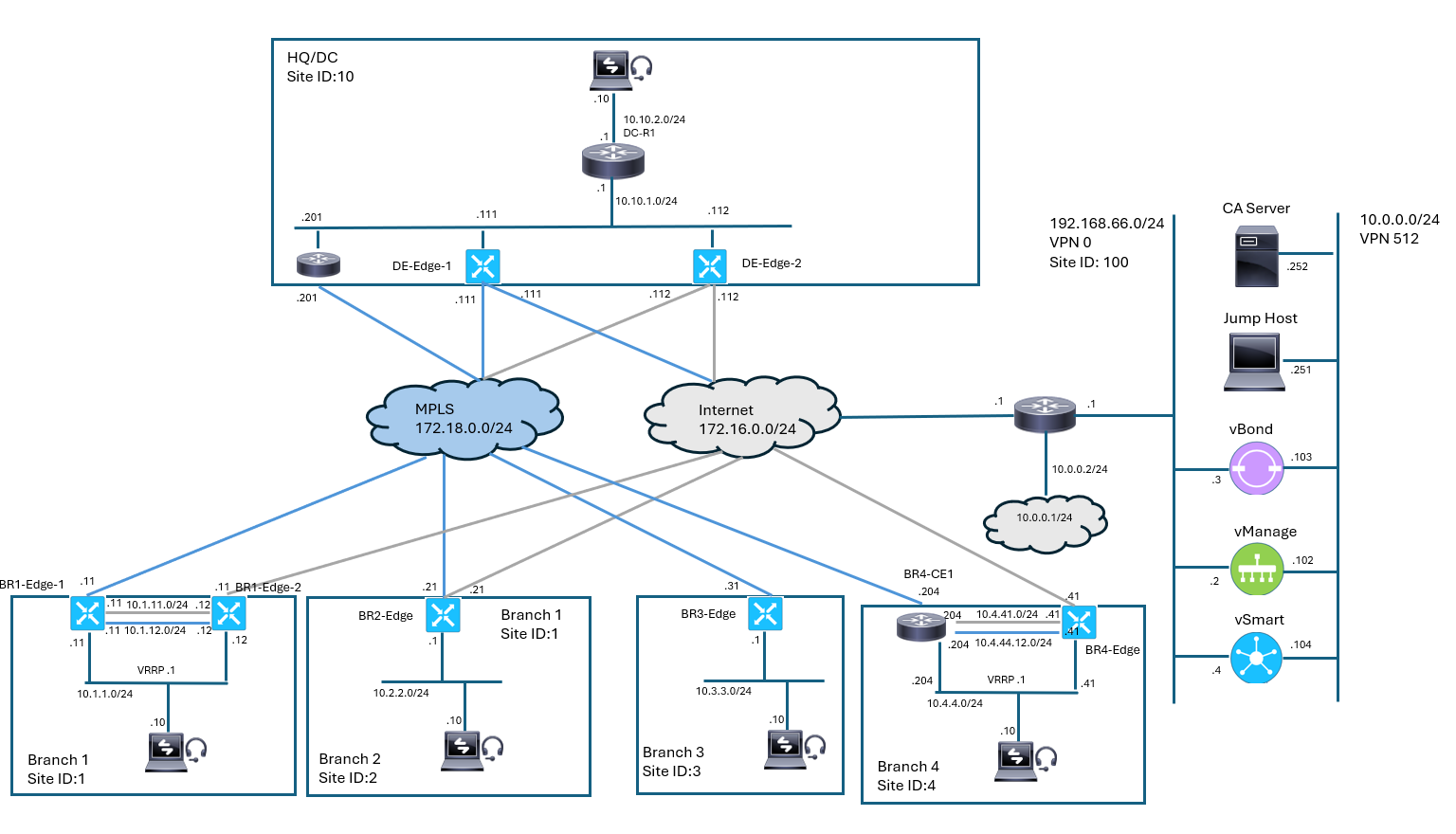
Topology:
Solution:
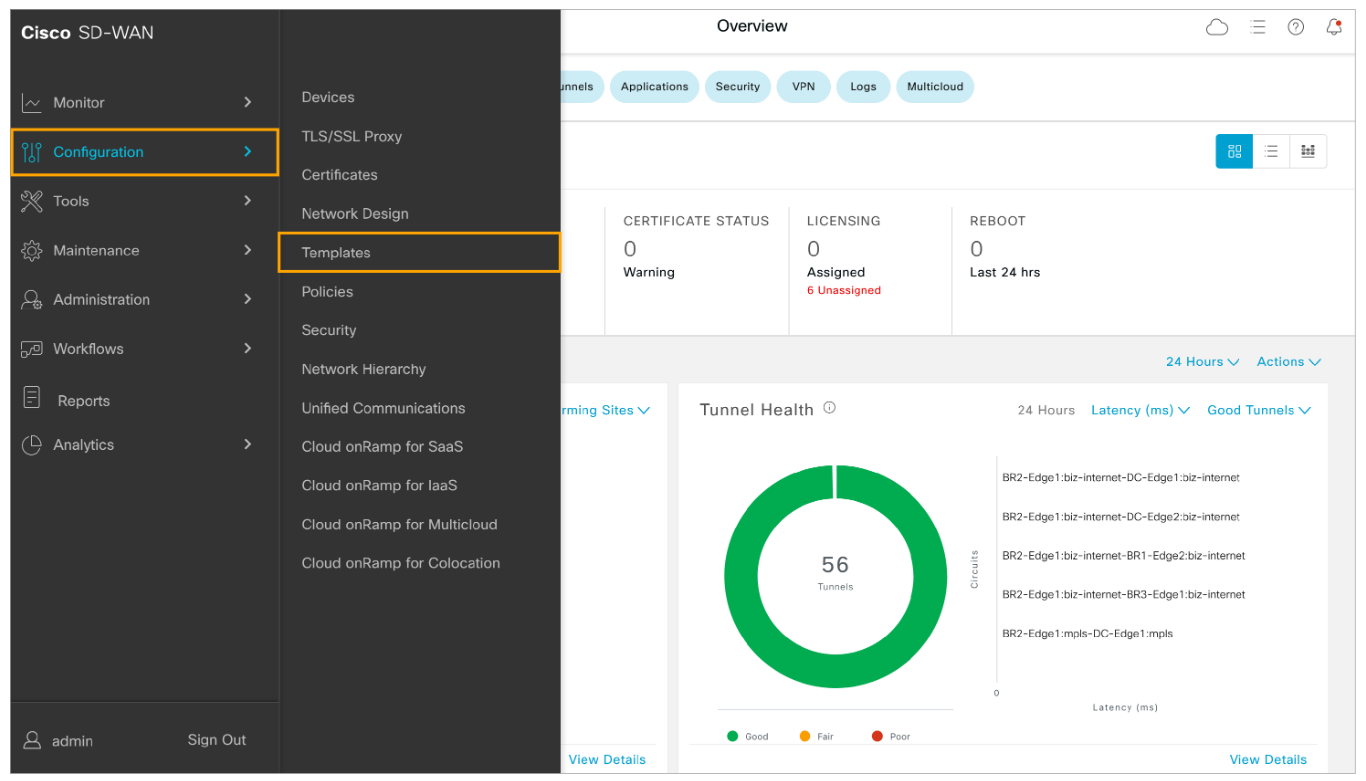
Step 1: In Cisco vManage, navigate to the Configuration Groups page. From the Cisco vManage main menu, navigate to Configuration > Templates.
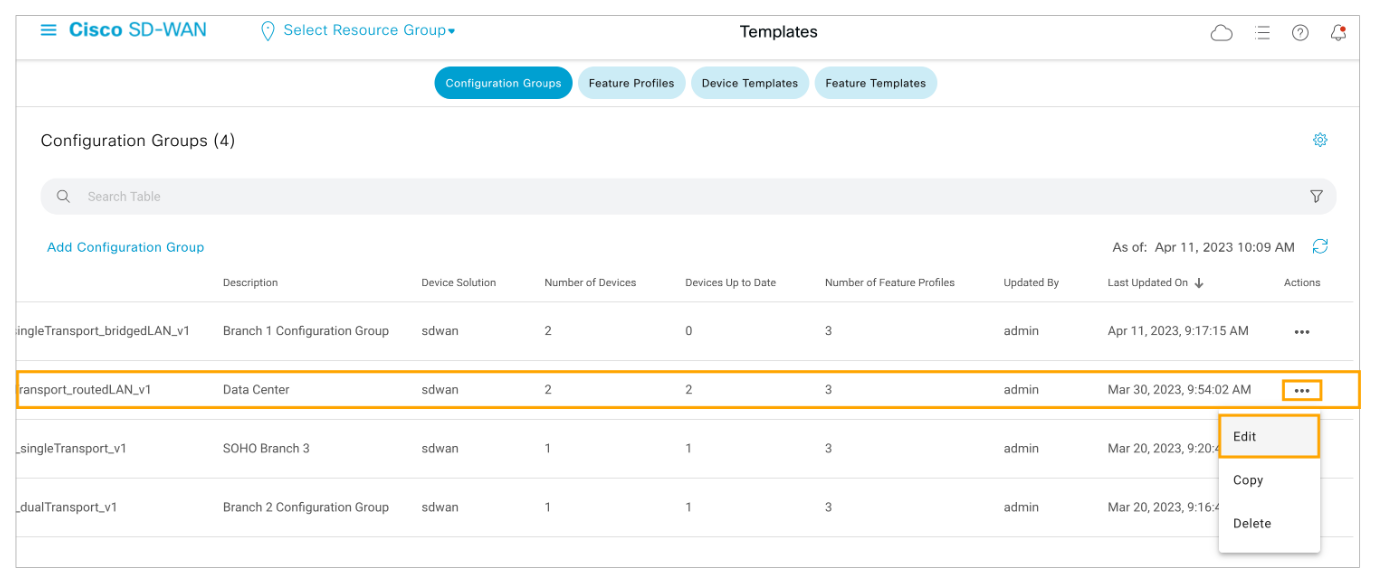
Step 2: Open the Actions menu for the DC_dualEdge_dualTransport_routedLAN_v1 configuration group and choose Edit.
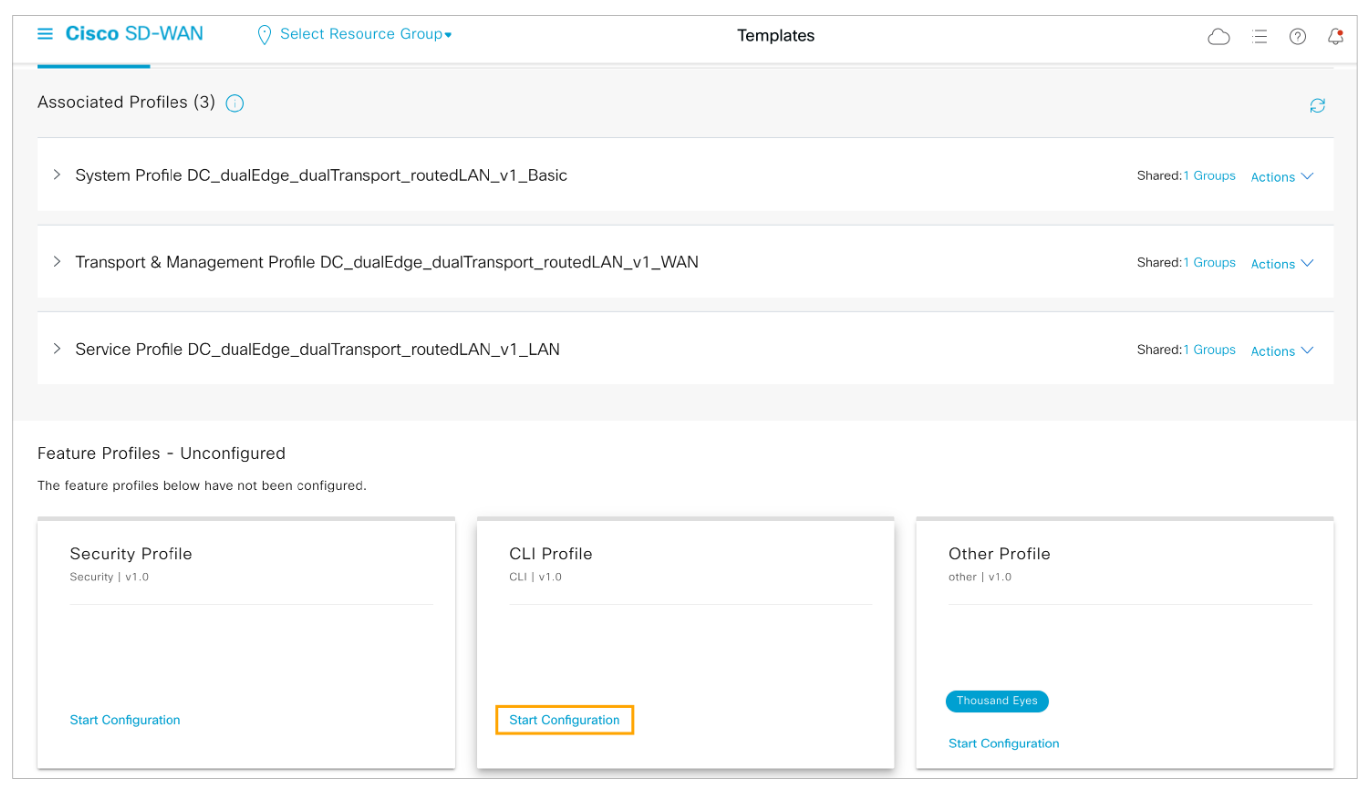
Step 3: Inside the DC configuration group, scroll down to the unconfigured feature profiles. In the CLI Profile, click Start Configuration.
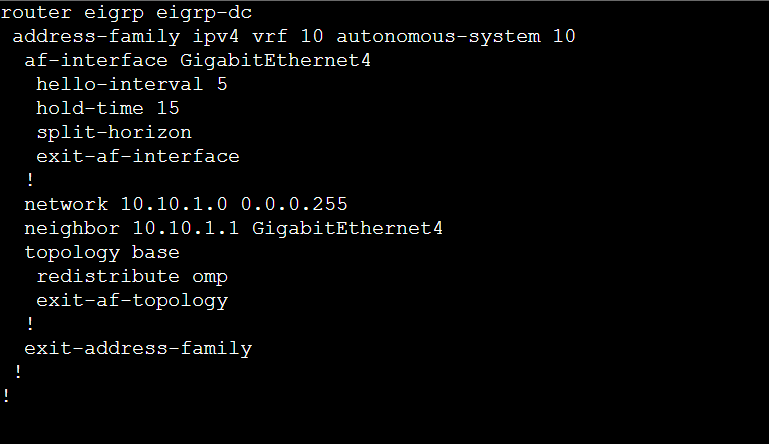
Step 4: Choose Create New to create a new CLI profile. Configure the profile name and description and paste the provided EIGRP configuration into the CLI Configuration section.
-
Feature name: DC_CLI_AddOn_v1
-
Feature description: DC CLI AddOn–EIGRP
-
EIGRP Configuration:
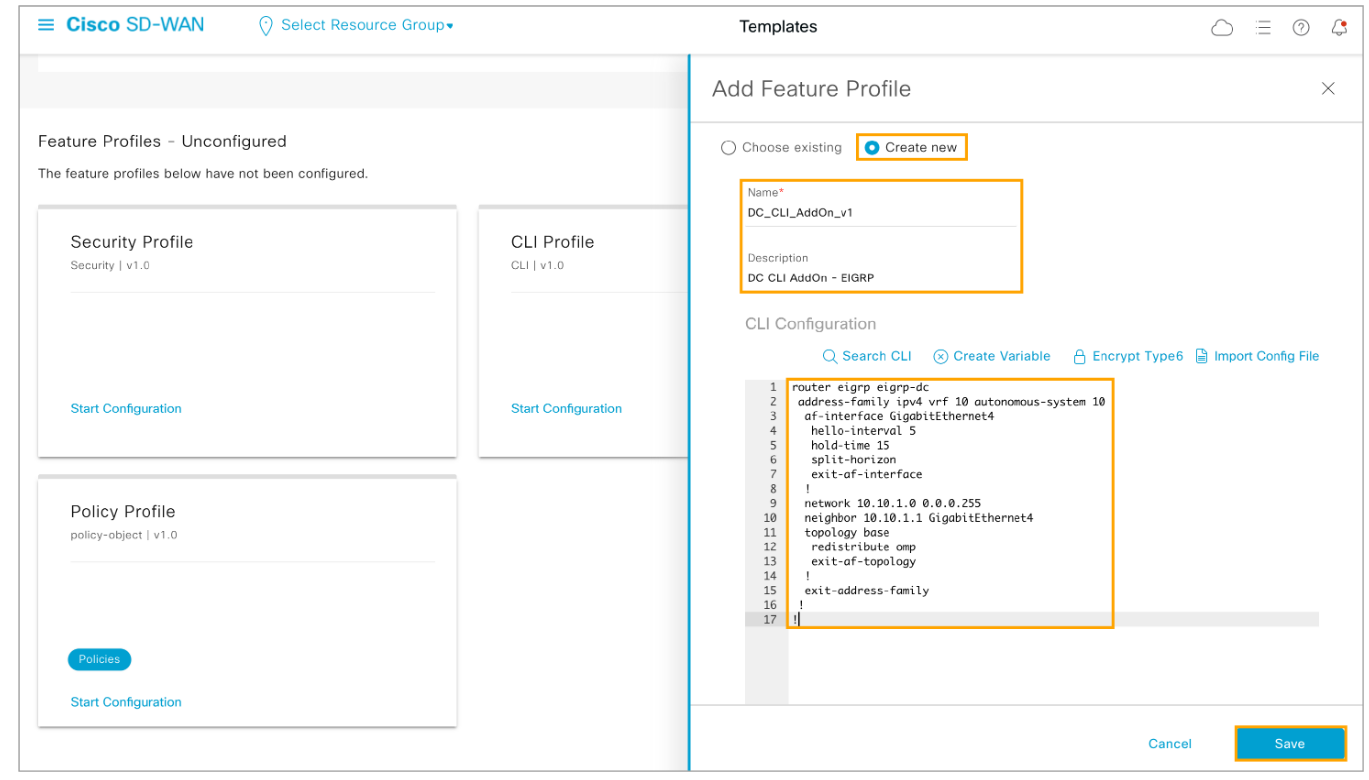
Click Save to commit the changes.
The EIGRP configuration is enabled for the 10.10.1.0/24 subnet which connects DC-Edge1, DC-Edge2, and DC-R1. A unicast neighbor adjacency will be formed between the DC WAN Edge devices and DC-R1. The WAN Edge routers will learn about the 10.10.2.0/24 network from their DC-R! EIGRP peer. OMP routes are also redistributed into EIGRP so the DC-R1 router can learn about the remote network at the Branch sites.
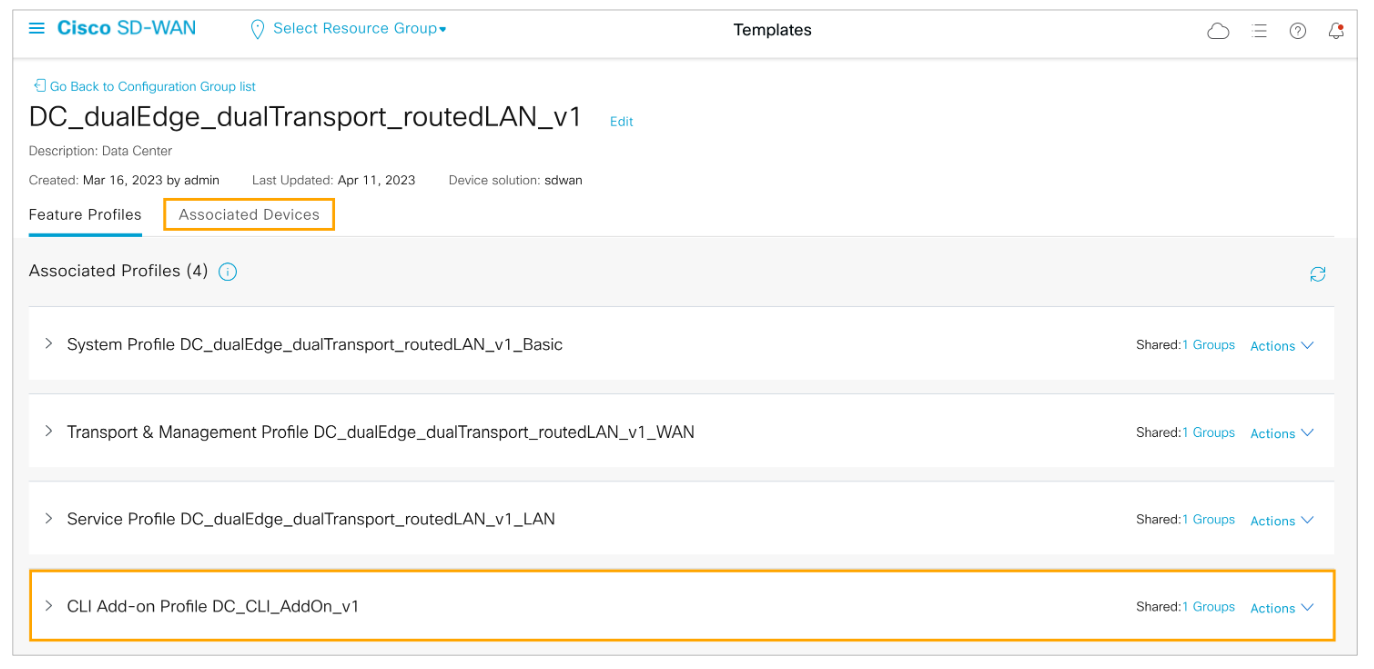
Step 5: Verify that the DC_CLI_AddOn_v1 profile is attached to the configuration group, then open the Associated Devices tab to deploy the devices.
Step 6: Click Deploy to initiate the deployment of the changes to the configuration group.
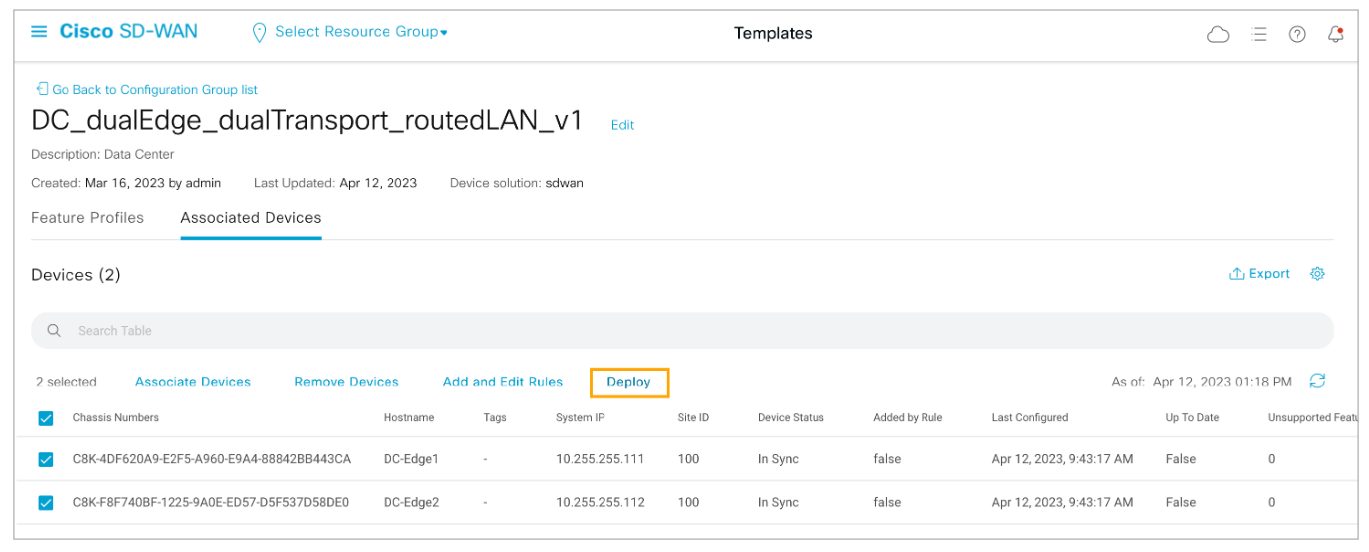
Click Next to proceed from the Process Overview page.
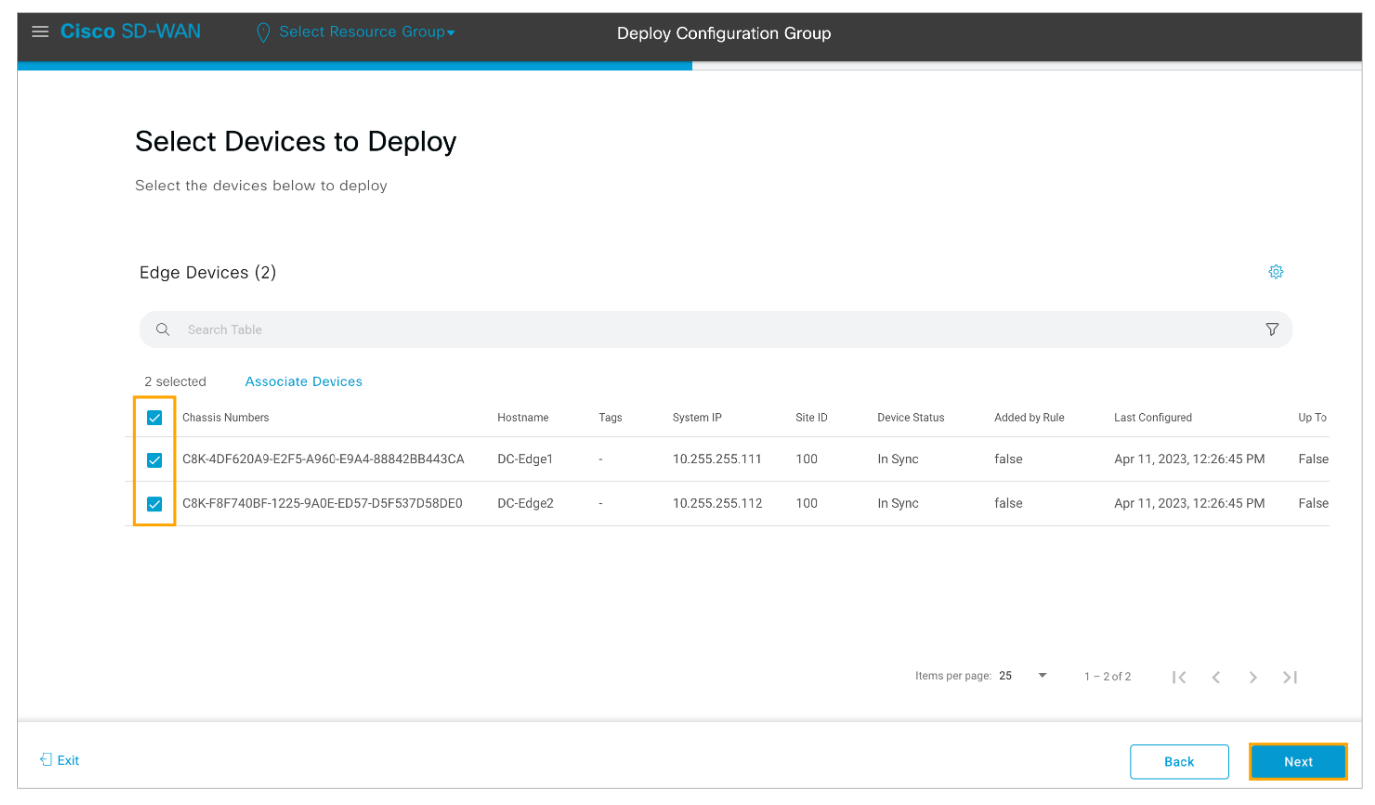
Select the two DC WAN Edge routers for deployment and click Next to proceed.
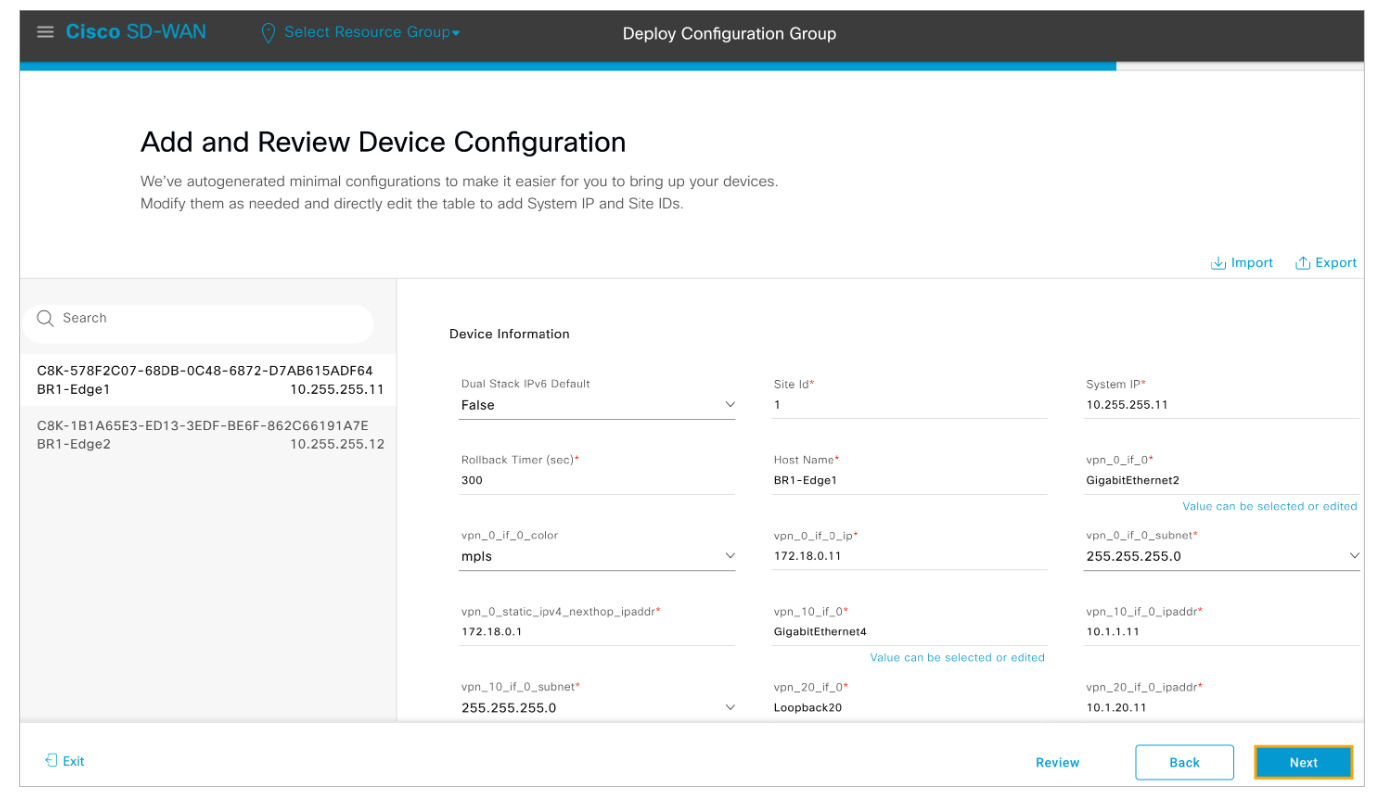
Step 7: Do not modify any variable values and click Next to proceed with the deployment workflow.
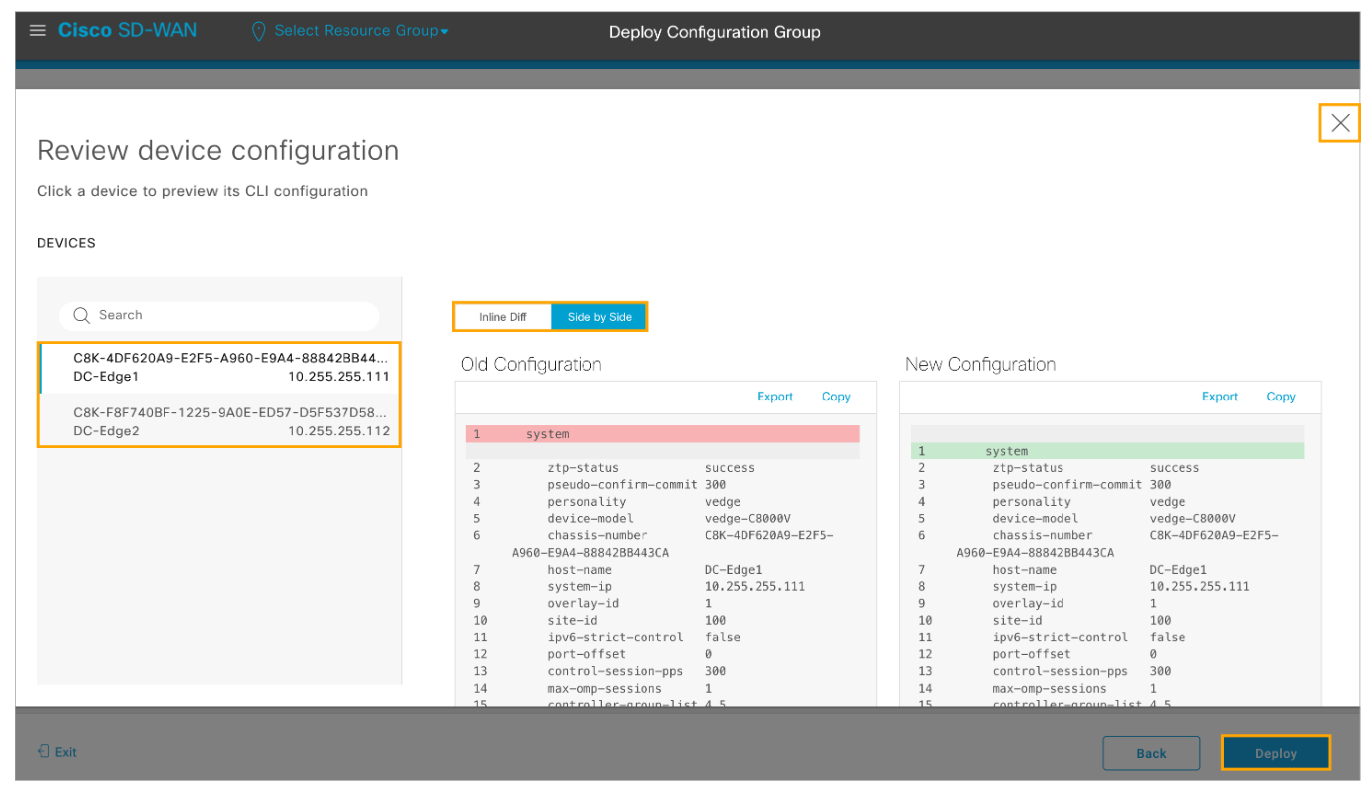
Step 8: Choose one of the devices from the list and review the candidate configuration. You can compare the Side by Side or Inline difference and review the EIGRP configuration from the CLI feature profile. Close the Review device configuration popup window and click Deploy to push the EIGRP configuration to the DC WAN Edge devices.
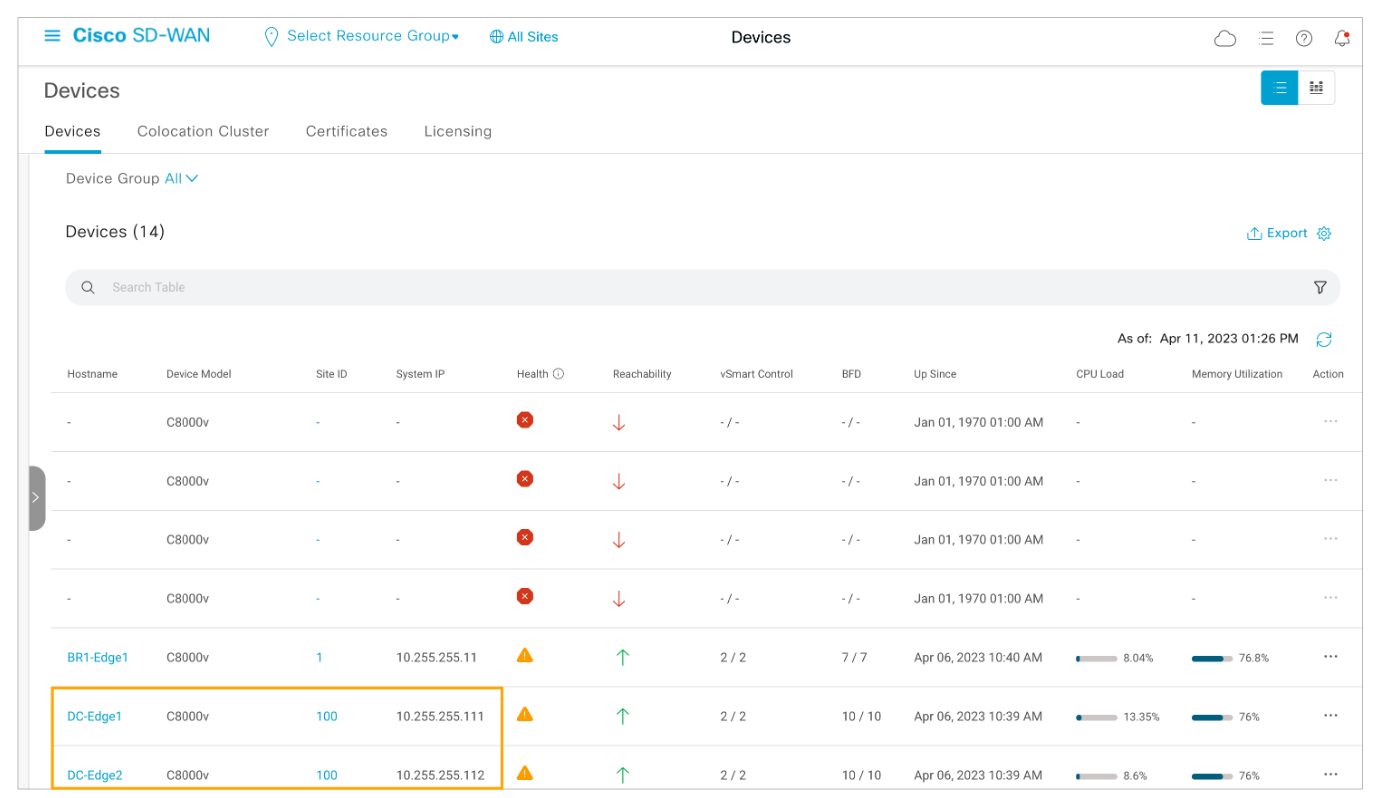
Step 9: In vManage, navigate to the Monitor > Devices dashboard and choose one of the DC WAN Edge routers.
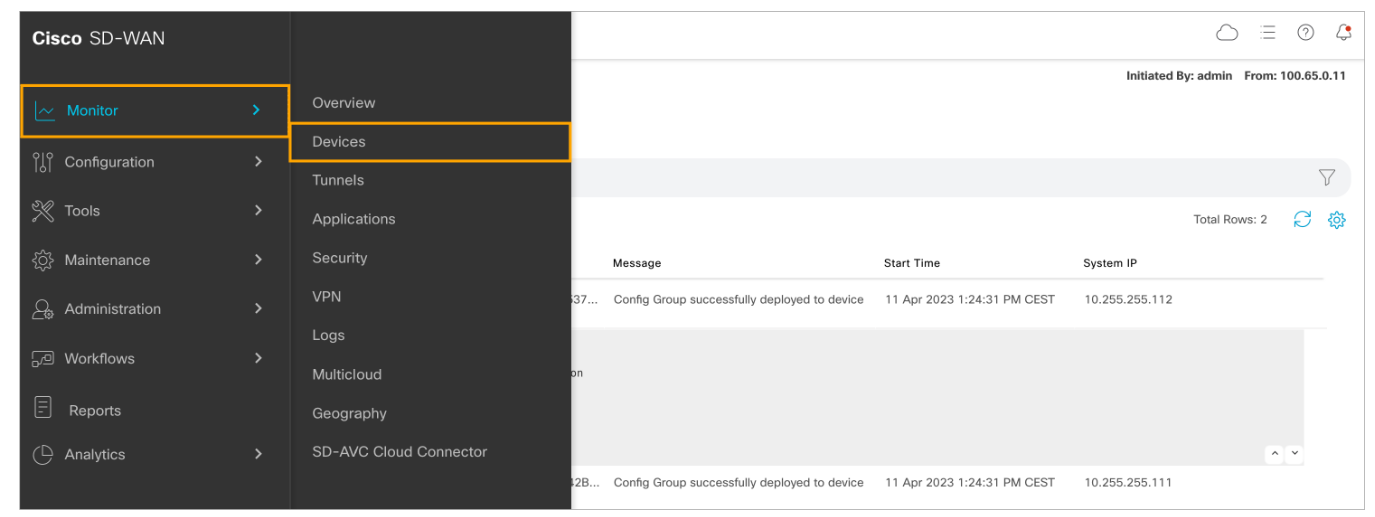
Choose one of the DC WAN Edge routers.
Step 10 : From the list of available tools on the left side of the screen, scroll down and choose the Real-Time tool. In the Device Options text box search for EIGRP and choose one of the options. Review the output of each individual option.

Comment
TABLE OF CONTENTS
- Onboarding & Provisioning Configuring Templates
- Authentication between vSmart & vBond
- Authentication between vSmart Controller
- Authentication between vBond & vEdge Router
- Authentication between vEdge Router & vManage NMS
- Authentication between vSmart Controller & vEdge Router
- Viptela Specific Port Terminology
- Deploy & Configure vManage & Generate Certificate
- Deploy & Configure vBond & Generate Certificate
- Deploy & Configure vSmart & Generate Certificate
- Configure vEdge & Generate Certificate
- SDWAN & NAT
- Secure DataPlane Bringup
- Enterprise CA for SDWAN Instances
- ZTP Process & PnP Overview
- Control Plane & Data Plane Operation - Unicast Routing Overview
- Configuring OMP & Its attributes
- Configure Unicast Overlay Routing
- Routing Configuration Example
- Segmentation Overview
- Configuring Segmentation
- Segmentation Configuration Example
- Data Traffic across Private WANs
- NAT in SDWAN & Data Encryption
- SD-WAN Viptela Policy Overview
- SD-WAN Centralized & Localized Control Policy Overview
- SD-WAN Centralized & Localized Data Policy
- Service Chaining
- Traffic Flow Monitoring
- vEdge Router as NAT Device
- Zone Based Firewalls
- Configure Centralized Control Policy
- Configuring Centralized Data Policy
- Configuring Cflowd Traffic Monitoring
- Configuring Zone based Firewall
- Service Chaining Configuration Example
- Configuring Service Side NAT
- Configuring Transport side NAT
- Control Policy Example 1: Hierarchical Topology
- Multi-Region Fabric
- Control Policy Example 2: Implementing Traffic Engineering
- Control Policy Example 2: Dynamic On-Demand Tunnels
- LAB Deploy Cisco SD-WAN Edge Routers
- LAB Deploy SDWAN Controllers
- LAB Deploy Cisco SD-WAN Devices Using Configuration Group
- LAB Implement Service-Side Routing Protocols
- LAB Implement TLOC Extensions
- LAB Implement Control Policies
- LAB Implement Data Policies
- LAB Implement Application-Aware Routing
- LAB Implement Branch and Regional Internet Breakouts
- LAB Migrate Branch Sites
RECENT POSTS
- Understanding Cisco ISE Authentication and Authorization Policies
- Installing Context-Aware Network Access Control using Cisco ISE Policies
- Designing Network Access Control that is Scalable using Cisco ISE Architecture
- Enterprise Network Access Control and Policy Enforcement using Cisco ISE
- Secure Device Administration and Network Access Using AAA Architecture
- Designing Enterprise-Class Hybrid Cloud Connectivity Using AWS Networking Services
- Exploring Core AWS Networking and Messaging Concepts for Modern Cloud Architectures
- Understanding Key AWS Services for Modern Cloud Architectures
- Building a Strong AWS Foundation with Amazon S3, EC2, and Virtual Private Cloud
- Understanding the ENSDWI Course: Advanced Cisco SD-WAN (Viptela) Concepts


LEAVE A COMMENT
Please login here to comment.